
The Ultimate Google Home & Gemini Architect
Customize your Smart Home AI prompt below.
Step 1: Primary Objective
Select your preferences for Primary Objective below.
Step 2: Voice & Personality
Select your preferences for Voice & Personality below.
Step 3: Core Hardware
Select your preferences for Core Hardware below.
Step 4: Lighting Control
Select your preferences for Lighting Control below.
Step 5: Climate & Comfort
Select your preferences for Climate & Comfort below.
Step 6: Security & Cameras
Select your preferences for Security & Cameras below.
Step 7: Entertainment
Select your preferences for Entertainment below.
Step 8: Automation Triggers
Select your preferences for Automation Triggers below.
Step 9: Routine Logic
Select your preferences for Routine Logic below.
Step 10: External Hubs
Select your preferences for External Hubs below.
Step 11: Network & Protocol
Select your preferences for Network & Protocol below.
Step 12: Privacy & Data
Select your preferences for Privacy & Data below.
Step 13: Gemini AI Features
Select your preferences for Gemini AI Features below.
Step 14: Troubleshooting Focus
Select your preferences for Troubleshooting Focus below.
Step 15: Context & Specifics
Enter any specific details, devices, or room names here.
Step 16: Your Custom Prompt
Copy your prompt below.
MiraclePrompts.com is designed as a dual-engine platform: part Creation Engine and part Strategic Consultant. Follow this workflow to engineer the perfect response from any AI model.
-
1. Navigate the 14 Panels
The interface is divided into 14 distinct logical panels. Do not feel pressured to fill every single one—only select what matters for your specific task.
Use the 17 Selectors: Click through the dropdowns or buttons to define parameters such as Role, Tone, Audience, Format, and Goal.
Consult the Term Guide
Unsure if you need a "Socratic" or "Didactic" tone? Look at the Term Guide located below/beside each panel. It provides instant definitions to help you make the pro-level choice.
-
3. Input Your Data (Panel 15)
Locate the Text Area in the 15th panel.
Dump Your Data: Paste as much information as you wish here. This can be rough notes, raw data, pasted articles, or specific constraints.
No Formatting Needed: You don’t need to organize this text perfectly; the specific parameters you selected in Phase 1 will tell the AI how to structure this raw data.
- 2. The Pro Tip Area (Spot Check) Before moving on, glance at the Pro Tip section. This dynamic area offers quick, high-impact advice on how to elevate the specific selections you’ve just made.
4. Miracle Prompt Pro: The Insider’s Playbook
Master the Mechanics: This isn't just a help file; it contains 10 Elite Tactics used by expert engineers. Consult this playbook to unlock advanced methods like "Chain of Thought" reasoning and "Constraint Stacking."
- 5. NotebookLM Power User Strategy Specialized Workflow: If you are using Google’s NotebookLM, consult these 5 Tips to leverage audio overviews and citation features.
-
6. Platform Deployment Guide
Choose Your Weapon: Don't just paste blindly. Check this guide to see which AI fits your current goal:
- Select ChatGPT/Claude for creative reasoning.
- Select Perplexity for real-time web search.
- Select Copilot/Gemini for workspace integration.
- 7. Generate Click the Generate Button. The system will fuse your Phase 1 parameters with your Phase 2 context.
-
8. Review (Panel 16)
Your engineered prompt will appear in the 16th Panel.
Edit: Read through the output. You can manually tweak or add last-minute instructions directly in this text box.
Update: If you change your mind, you can adjust a panel above and hit Generate again. - 9. Copy & Deploy Click the Copy Button. Your prompt is now in your clipboard, ready to be pasted into your chosen AI platform for a professional-grade result.
Need a refresher? Check the bottom section for a rapid-fire recap of this process and answers to common troubleshooting questions.
Google Home with Gemini: The Ultimate 16-Step Forensic Architecture Guide
Mastering the Google Home with Gemini ecosystem requires a shift from passive command-response loops to proactive, intelligent orchestration. This tool serves as your forensic architect, bridging the gap between standard voice assistance and advanced generative AI automation to create a smart home that truly thinks, anticipates, and adapts to your lifestyle with industrial-grade precision.
Step Panel Term Reference Guide
Step 1: Primary Objective
Why it matters: Defining the strategic endpoint—whether it's a full migration from legacy Assistant or complex script automation—determines the architectural depth of the prompt.
- Full System Setup: Configuring a greenfield environment from scratch.
- Migration from Assistant: Transitioning legacy routines to Gemini logic.
- Complex Automation Scripting: Generating YAML for the Google Home Script Editor.
- Voice Command Optimization: Refining natural language processing triggers.
- Household Routines: Orchestrating multi-user daily flows.
- Security Integration: Unifying cameras, locks, and sensors.
- Energy Management: Optimizing thermostat and lighting efficiency.
- Entertainment Control: Managing multi-room audio and casting.
- Accessibility Features: Customizing for visual or auditory needs.
- Guest Mode Setup: Creating restricted access profiles.
- Network Troubleshooting: Diagnosing mesh Wi-Fi and connectivity.
- Family Bell / Broadcasts: Scheduling announcements and intercoms.
- AI Personality Tuning: Adjusting verbosity and tone.
- Matter / Thread Setup: Integrating next-gen IoT protocols.
- Privacy Hardening: Configuring data retention and sensitivity.
- Developer API Access: Interfacing with local fulfillment APIs.
- Hardware Audit: Assessing device compatibility and firmware.
- Other: User-defined custom objectives.
Step 2: Voice & Personality
Why it matters: The "User Interface" of a smart home is audio; tuning the verbosity and persona reduces friction and increases acceptance among household members.
- Brief / Concise Mode: Minimal confirmations for faster interaction.
- Conversational / Chatty: Extended natural language engagement.
- Formal Butler Style: High-politeness markers and structured syntax.
- Humorous / Witty: Injecting personality and easter eggs.
- Kid-Friendly / Filtered: Content restrictions and simplified language.
- Technical / Data-Heavy: Precise readouts of sensor data.
- Whisper Mode Enabled: Volume-aware responses at night.
- Continued Conversation: Listening for follow-up commands without wake words.
- Multi-Language Support: Bilingual command processing.
- High Verbosity: Detailed explanations of actions taken.
- Low Verbosity: Chime-based confirmations only.
- Chime Only (No Voice): Silent execution acknowledgment.
- Male Voice Profile: Selecting specific pitch/timbre.
- Female Voice Profile: Selecting specific pitch/timbre.
- Celebrity Voice: Using licensed cameos if available.
- Context Aware Replies: Responses based on room or time.
- Proactive Suggestions: AI-driven unsolicited advice.
- Other: Custom personality traits.
Step 3: Core Hardware
Why it matters: Hardware capability dictates the execution method; knowing if a device is a Thread Border Router or a simple Wi-Fi point is critical for latency reduction.
- Nest Audio (Standard): High-fidelity music and response.
- Nest Mini (2nd Gen): Basic voice access points.
- Nest Hub (2nd Gen): Sleep sensing and visual interface.
- Nest Hub Max: Camera-enabled central command.
- Google Pixel Tablet: Hybrid tablet/hub dock mode.
- Google TV Streamer: Media center control hub.
- Chromecast w/ Google TV: Streaming dongle integration.
- Nest Wifi Pro Points: Mesh routing with Assistant.
- Legacy Google Home: First-gen air freshener style.
- Legacy Home Max: High-output audio hardware.
- Third Party Speakers: JBL, Sony, etc., with Assistant.
- Sonos (Assistant Enabled): High-end audio integration.
- Bose (Assistant Enabled): Premium sound integration.
- Android Phone / Watch: Mobile command centers.
- JBL Link Series: Portable Assistant speakers.
- Lenovo Smart Clock: Bedroom-specific displays.
- Google Pixel Buds: In-ear wearable access.
- Other: Specialized niche hardware.
Step 4: Lighting Control
Why it matters: Lighting is the most frequent automation target. Distinguishing between Wi-Fi, Zigbee, and Bridge-based systems ensures reliable scene execution.
- Philips Hue: Zigbee-based premium ecosystem.
- LIFX Wi-Fi: Hubless high-lumen bulbs.
- Nanoleaf Shapes / Lines: Decorative panel integration.
- Govee Immersion: TV backlighting sync.
- Lutron Caseta: Rock-solid switch replacement.
- Kasa Smart (TP-Link): Budget-friendly Wi-Fi plugs.
- C by GE (Cync): Direct connect Bluetooth/Wi-Fi.
- Wiz Connected: Wi-Fi lighting protocols.
- Wyze Bulbs: Low-cost ecosystem integration.
- Sengled Zigbee: Hub-required budget bulbs.
- Leviton Decora: Smart in-wall switches.
- Meross Smart Plugs: HomeKit/Google reliable plugs.
- Shelly Relays: Hidden in-wall retrofits.
- IKEA Tradfri: Affordable Zigbee smart home.
- Yeelight: Xiaomi ecosystem lighting.
- Tuya / Smart Life: Generic white-label devices.
- Generic Matter Bulbs: Cross-platform standardization.
- Other: Custom lighting solutions.
Step 5: Climate & Comfort
Why it matters: HVAC automation requires complex logic (presence + temp + time). Specific hardware choices dictate the available telemetry for these scripts.
- Nest Learning Thermostat: Predictive algorithm control.
- Nest Thermostat E: Simplified smart control.
- Ecobee SmartThermostat: Room sensor integration.
- Honeywell Home T9: Traditional brand smart entry.
- Emerson Sensi: Contractor-grade smart control.
- Mysa for Baseboard: High-voltage heating control.
- Sensibo Air (AC): IR blasting for mini-splits.
- Flair Smart Vents: Room-by-room airflow control.
- Awair Element: Air quality monitoring.
- AirThings Wave: Radon and VOC detection.
- Dyson Purifier Cool: High-end purification logic.
- Levoit Smart Purifier: Affordable air cleaning.
- Blueair HealthProtect: Medical-grade filtration.
- Big Ass Fans (Haiku): Premium ceiling fan control.
- Hunter Smart Fans: Integrated fan automation.
- SwitchBot Curtains: Retrofit rod automation.
- Lutron Serena Shades: Premium automated window treatments.
- Other: Specific HVAC hardware.
Step 6: Security & Cameras
Why it matters: Security automation demands low latency and high reliability. The distinction between battery and wired devices fundamentally changes recording capabilities.
- Nest Cam (Battery): Flexible placement, event-based.
- Nest Cam (Wired): 24/7 recording capability.
- Nest Doorbell (Battery): Wire-free front door monitoring.
- Nest Doorbell (Wired/Hello): Continuous monitoring.
- Nest Cam Floodlight: Motion-activated security lighting.
- ADT Self Setup System: Google's official security partner.
- Eufy Security Cams: Local storage focus.
- Arlo Pro / Ultra: High-resolution wireless.
- Ring (via Bridge): Amazon ecosystem bridging.
- Wyze Cam v3/v4: Budget monitoring solutions.
- Reolink PoE Cams: Wired reliable surveillance.
- Yale Assure Lock 2: Module-based smart locking.
- Nest x Yale Lock: Native Google integration.
- August Smart Lock: Retrofit deadbolt control.
- Schlage Encode Plus: Thread/Matter capable locks.
- Aqara Sensors: Door/Window contact sensors.
- Simplisafe Integration: Third-party alarm linkage.
- Other: Custom security hardware.
Step 7: Entertainment
Why it matters: Media orchestration involves complex casting protocols. Identifying the source service and target device is essential for "Follow Me" audio logic.
- YouTube Music: Native algorithm integration.
- Spotify Premium: Connect protocol integration.
- Apple Music: Third-party service linkage.
- Pandora: Radio-style streaming.
- YouTube TV: Live TV voice control.
- Netflix Integration: Voice casting commands.
- Disney+ Integration: Voice casting commands.
- Hulu Integration: Voice casting commands.
- Plex Media Server: Local media library access.
- Multi-Room Audio Groups: Synchronized playback.
- Stereo Pair Setup: Left/Right channel separation.
- Roku Control: Third-party OS integration.
- Harmony Hub (Legacy): IR blaster orchestration.
- Broadlink IR Blaster: Generic IR device control.
- LG WebOS TV: ThinQ AI integration.
- Samsung SmartThings TV: Tizen OS integration.
- SiriusXM Streaming: Satellite radio streaming.
- Other: Niche media services.
Step 8: Automation Triggers
Why it matters: The "When" of automation. Advanced scripting allows for multiple conditions (AND/OR logic), moving beyond simple "If This Then That" structures.
- Voice Phrase Start: Specific custom keywords.
- Time of Day: Scheduled execution events.
- Sunrise / Sunset: Astronomical clock triggers.
- Location (Home/Away): Geofencing state changes.
- Motion Sensor Detected: PIR activity activation.
- Door / Window Open: Contact sensor state change.
- Temperature Threshold: HVAC boundary triggers.
- Humidity Threshold: Environmental triggers.
- Face Match Recognition: Personalized visual triggers.
- Alarm Dismissal: Morning routine kickoffs.
- Camera Person Detect: AI object recognition.
- Device State Change: Trigger on device status.
- Smart Button Press: Physical tactile triggers.
- NFC Tag Scan: Proximity based execution.
- Calendar Event Start: Schedule-based automation.
- Weather Condition: Meteorological triggers.
- App Notification: Android intent triggers.
- Other: Unique trigger conditions.
Step 9: Routine Logic
Why it matters: This is the brain of the automation. We prioritize "Script Editor (YAML)" here to unlock boolean logic and advanced state management unavailable in the standard UI.
- Simple Single Action: One-to-one command.
- Sequential Actions: Linear workflow execution.
- Parallel Actions: Simultaneous device firing.
- Delayed Actions (Wait): Pauses and timing buffers.
- Conditional (If/Else): Boolean decision trees.
- Script Editor (YAML): Advanced code-based automation.
- Day of Week Filter: Calendar masking.
- Time Window Filter: Active hour restrictions.
- Presence Dependency: Occupancy checks.
- Variable Storage: State persistence.
- Notification Output: Push alerts to phones.
- TTS Announcement: Voice broadcast feedback.
- Media Resume: Continuing playback state.
- Volume Normalization: Resetting audio levels.
- Light Scene Activation: Preset color configurations.
- API Webhook Call: External server pings.
- Auto-Off Timer: Safety shutoff logic.
- Other: Complex logic structures.
Step 10: External Hubs
Why it matters: Google Home often acts as the "Voice Layer" while other hubs handle the "Radio Layer" (Zigbee/Z-Wave). Identifying the bridge is crucial for latency management.
- Home Assistant (HAOS): The ultimate local controller.
- Samsung SmartThings: Cloud/Local hybrid hub.
- Hubitat Elevation: Local processing priority.
- Starling Home Hub: Apple-to-Google bridging.
- Hoobs / Homebridge: Plugin-based bridging.
- Aqara Hub M2/M3: Zigbee 3.0 controller.
- Philips Hue Bridge: Dedicated lighting Zigbee.
- Lutron Smart Bridge: Clear Connect RF hub.
- IKEA Dirigera: Matter-ready lighting hub.
- Bond Bridge: RF/IR ceiling fan control.
- SwitchBot Hub 2: Matter-enabled bot bridge.
- Abode Security Hub: Security-focused controller.
- No External Hubs: Wi-Fi only architecture.
- Raspberry Pi: DIY server hardware.
- Nas (Synology/QNAP): Docker container host.
- Apple TV (Matter Hub): Cross-platform Thread router.
- Echo (Matter Hub): Cross-platform Thread router.
- Other: Specialized bridge hardware.
Step 11: Network & Protocol
Why it matters: A smart home is only as smart as its network. Differentiating between Thread, Zigbee, and Wi-Fi congestion helps in designing a robust mesh topology.
- Nest Wifi Mesh: Google's native mesh.
- Eero Mesh System: Amazon's mesh solution.
- Orbi / Nighthawk: Netgear high-throughput.
- UniFi / Ubiquiti: Prosumer SDN networking.
- Matter Protocol: IP-based interoperability.
- Thread Border Router: Low-power mesh networking.
- Zigbee Mesh: Low-bandwidth device mesh.
- Z-Wave Plus: Sub-GHz frequency mesh.
- Bluetooth Mesh: Local device communication.
- Local API Control: Removing cloud dependence.
- IPv6 Enabled: Modern addressing support.
- IoT VLAN Isolation: Security segmentation.
- Static IP Assignment: Addressing stability.
- 2.4GHz Band Dedication: Legacy device support.
- Ethernet Backhaul: Wired mesh stability.
- Cloud-Dependent: Reliance on ISP uptime.
- Offline Local Voice: Edge processing commands.
- Other: Custom network configs.
Step 12: Privacy & Data
Why it matters: Bringing microphones and cameras into the home requires strict governance. This section defines the boundaries of data collection and retention.
- Auto-Delete History: Rolling data destruction.
- Guest Mode: Incognito voice commands.
- Camera Status Lights On: Visual recording indicators.
- Face Match Disabled: Biometric data restriction.
- Personal Results Off: Preventing proactive data use.
- Voice Match Required: Biometric auth for answers.
- Microphone Mute Switches: Physical hardware disconnects.
- Camera Shutters: Physical lens blocking.
- Activity Zones (Privacy): Masking out neighbors.
- 2FA / MFA Enabled: Account security hardening.
- Sensitivity Adjustment: Wake word false positive tuning.
- Ad Personalization Off: Reducing targeted marketing.
- Downtime Settings: Digital wellbeing scheduling.
- Digital Wellbeing Filters: Content restriction.
- End-to-End Encryption: Data transit security.
- Local Storage Only: SD card recording.
- Family Link Control: Child account management.
- Other: Custom privacy rules.
Step 13: Gemini AI Features
Why it matters: This is the differentiator. We leverage Gemini not just for "smart" control, but for generative reasoning—summarizing emails, planning meals, and analyzing complex documents.
- Generative Answers: LLM-based query responses.
- Google Workspace Access: Docs/Drive/Gmail integration.
- YouTube Extension: Video content analysis.
- Google Maps Extension: Location and trip logic.
- Complex Planning: Multi-step event organization.
- Creative Writing: Generative text assistance.
- Email Summarization: Inbox digest creation.
- Document Analysis: PDF/Doc understanding.
- Code Generation: Python/YAML script writing.
- Image Generation: Visual content creation.
- Shopping Lists: Context-aware purchasing.
- Recipe Ideas: Ingredient-based cooking.
- Travel Itineraries: Flight/Hotel planning.
- Fitness Coaching: Health data interpretation.
- Language Translation: Real-time interpretation.
- Fact Checking: Verification against search.
- Personalized News: Curated information feeds.
- Other: Custom AI extensions.
Step 14: Troubleshooting Focus
Why it matters: Even the best systems fail. Identifying pain points early allows the prompt to generate specific diagnostic steps and preventative maintenance scripts.
- "Hey Google" Sensitivity: Wake word optimization.
- Device Offline Issues: Connectivity stability.
- Wi-Fi Connection Drops: Signal strength analysis.
- Slow Response Time: Latency diagnosis.
- Wrong Device Answering: Spatial perception tuning.
- Music Buffering: Bandwidth management.
- Cast Connection Fail: Protocol handshake fixes.
- Routine Failure: Logic script debugging.
- Bluetooth Latency: Audio sync correction.
- Misheard Commands: NLP accuracy improvement.
- Ghost Activations: False trigger reduction.
- Integrations Broken: API linkage repair.
- Duo Calling Errors: Communication fixes.
- Display Screen Glitch: Hardware UI debugging.
- Update Stuck: Firmware flash resolution.
- Account Sync Error: Cloud data reconciliation.
- Stereo Pair Unsync: Audio phase correction.
- Other: Specific error codes.
Execution & Deployment
- Step 15: Context Injection: Paste detailed lists of your specific devices (e.g., "3 Hue Color Bulbs in the Living Room"), precise room names, and existing hub integrations (e.g., "Running Home Assistant on a Pi 4"). The more hardware specificity, the better the script generation.
- Step 16: Desired Output Format: The system generates a "Master Plan" that includes both natural language strategies and, crucially, YAML code blocks for the Google Home Script Editor to execute complex logic.
✨ Miracle Prompts Pro: The Insider’s Playbook
- Hack 1: The "Ghost" Switch: Create virtual switches in the Script Editor to store "state" (e.g., "Guest Mode is ON") which can be checked by other routines.
- Hack 2: The Silence Track: Upload a 5-second silent MP3 to YouTube Music. Use it in routines to "acknowledge" commands without the Assistant talking back.
- Hack 3: Presence Faking: Use Gemini to write a script that randomizes light toggles within a specific time window when you are away, mimicking human behavior.
- Hack 4: NFC Tag Launchers: Stick NFC tags near devices. Use the prompt to generate the logic that triggers complex scenes when you tap your phone, bypassing voice entirely.
- Hack 5: The "Briefing" Injection: Don't just ask for weather. Use Gemini Extensions to summarize your unread Gmail and check your commute traffic in one morning announcement.
- Hack 6: Webhook Integration: Use the Script Editor to send webhooks to IFTTT or Home Assistant, bridging Google Home to unsupported devices.
- Hack 7: Sensor Aggregation: Create logic that requires TWO sensors to trip (e.g., Motion + Vibration) before triggering an alarm, reducing false positives.
- Hack 8: Volume Reset: Create a nightly routine that silently resets all speaker volumes to 30%, preventing the "Morning Shout" from a speaker left at 100%.
- Hack 9: Broadcast Targeting: Stop shouting at the whole house. Script broadcasts to target specific rooms based on the time of day (e.g., "Dinner" only to kids' rooms).
- Hack 10: Log Analysis: Export your Google Home activity log and ask Gemini to analyze it to find which routines are failing or firing incorrectly.
📓 NotebookLM Power User Strategy
- Source Selection: Upload PDF manuals for every smart device you own (thermostat, lock, camera) and the "Google Home Script Editor" documentation.
- Audio Overview: Generate a "Smart Home Podcast" that explains how your specific house works—perfect for sharing with house sitters or less tech-savvy family members.
- Cross-Examination: Ask NotebookLM to identify conflict points between your specific device manuals (e.g., "Does my Yale lock support the Thread protocol mentioned in the Google Nest Wifi manual?").
- Gap Analysis: Feed it your current list of routines and ask: "Based on the capabilities of my uploaded device manuals, what security features am I failing to utilize?"
- Synthesis: Generate a simplified "Guest Guide" one-pager that explains how to use the lights and TV without needing the app.
🚀 Platform Deployment Guide
- Gemini 1.5 Pro (Recommended): The native choice. It has direct access to Google Workspace extensions (Maps, Flights, Hotels, Workspace) and understands the Google ecosystem better than any other model.
- Claude 3.5 Sonnet: Superior for writing the actual YAML Scripts. If you need complex code for the Script Editor, Claude often produces cleaner, error-free logic than Gemini.
- ChatGPT-4o: Excellent for creative brainstorming. Use it to generate "Scene Ideas" (e.g., "Describe a spooky Halloween lighting scene") which you then implement using Gemini.
- Microsoft CoPilot: Best if your "Home Office" relies on the Microsoft 365 ecosystem. Use it to bridge your work calendar (Teams meetings) with your home lighting status.
- Perplexity: The ultimate troubleshooter. Use it to look up specific error codes or LED light pulse patterns on your hardware in real-time.
⚡ Quick Summary
The Google Home with Gemini Architecture Guide is a forensic, 16-step framework designed to transition users from basic voice commands to industrial-grade AI orchestration. It leverages the advanced Script Editor (YAML) and generative AI to create context-aware, proactive smart home environments.
📊 Key Takeaways
- The Logic Layer: True automation requires moving beyond the mobile app to the web-based Script Editor for boolean (AND/OR) logic.
- Ghost Switches: Virtual devices can be created to store "state" variables, allowing for complex multi-condition triggers.
- Protocol Matters: The guide distinguishes between Wi-Fi, Zigbee, and Thread/Matter to optimize network latency and reliability.
- AI Specialization: Use Claude 3.5 Sonnet for writing clean YAML code, and Gemini 1.5 Pro for ecosystem integrations (Maps, Workspace).
- Privacy Hardening: A dedicated focus on "Forensic Privacy," including local storage protocols and physical hardware mutes.
❓ Frequently Asked Questions
Q: What is the Google Home Script Editor?
A: It is an advanced, web-based tool that allows you to write automation routines using YAML code, enabling complex logic (multiple conditions) impossible in the standard app.
Q: Can Gemini control my devices directly?
A: Gemini acts as the "Reasoning Engine" to process natural language and context, but the actual device execution is handled by the Google Home "Assistant" layer and Matter protocols.
Q: How do I stop the "Morning Shout" from my speakers?
A: Implement the "Volume Reset" hack (Step 14/Pro Tip), which runs a silent routine every night to reset all speaker volumes to 30% automatically.
⚓ The Golden Rule: You Are The Captain
MiraclePrompts gives you the ingredients, but you are the chef. AI is smart, but it can make mistakes. Always review your results for accuracy before using them. It works for you, not the other way around!
Transparency Note: MiraclePrompts.com is reader-supported. We may earn a commission from partners or advertisements found on this site. This support allows us to keep our "Free Creators" accessible and our educational content high-quality.
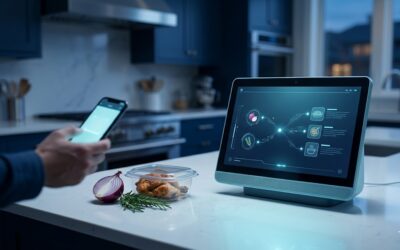
Transform Your Kitchen with the AI Leftover Recipe Generator
⚓ The Golden Rule: You Are The CaptainMiraclePrompts gives you the ingredients, but you are the chef. AI is smart, but...

Mastering YAML for Home Assistant: The Ultimate Forensic Miracle Prompts Pro
The Ultimate Home Assistant YAML Master Customize your Mastering YAML for Home Assistant prompt below. Step 1 of 16...

Google Apps Script: The Ultimate 16-Step Miracle Prompts Pro
[dsm_content_toggle heading_one=" " heading_two="Quick Summary & FAQs" custom_content_two="⚡ Quick Summary Google Apps...