
New Hire Onboarding & 90-Day Plan Wizard
Create structured 30-60-90 day success plans and checklists instantly.
Stop the “Sink or Swim”: Generate the Perfect 30-60-90 Day Plan in Minutes
The statistics are brutal: 20% of employee turnover happens in the first 45 days. Why? Because most companies confuse “Onboarding” with “Orientation.” Orientation is showing them where the bathroom is; Onboarding is a strategic ramp-up period that defines success.
A great 30-60-90 day plan is the difference between a new hire feeling lost and a new hire feeling empowered. But writing these plans from scratch for every role—Sales, Engineering, Admin—is a massive time sink. The MiraclePrompts Onboarding Wizard solves this by acting as your fractional HR Strategist. It takes your specific role requirements and builds a structured, week-by-week roadmap for success.
Here is your step-by-step guide to using the Wizard to secure your talent investment.
Phase 1: Defining the Role Architecture
The AI needs to know who we are hiring and what “level” they are playing at. A plan for a Junior Dev is about instruction; a plan for a VP is about integration.
Step 1: Department & Role Type
Why it matters: Different departments have different “Time to Value” curves. Sales roles often have immediate quota pressure, while Engineering roles require deep-dive codebase learning before a single line of code is written.
- Engineering / Tech: Triggers tasks related to environment setup, code reviews, and architectural understanding.
- Sales & Account Mgmt: Focuses the plan on product knowledge, shadow calls, and pipeline building.
- Leadership / Executive: Shifts the focus entirely to stakeholder mapping, strategy auditing, and cultural assessment.
Step 2: New Hire Experience Level
Why it matters: This dictates the level of autonomy in the plan. If you give a Junior employee a “Strategy” task, they will fail. If you give a Director a “Micromanaged” task list, they will quit.
- Junior / Entry Level: The AI will generate high-guidance tasks (e.g., “Complete module X,” “Read document Y”).
- Senior Individual Contributor: Focuses on output and optimization.
- Director / VP: The AI focuses on vision, team assessment, and long-term roadmap planning.
Step 3: Primary Goal for First 90 Days
Why it matters: Not every hire is for “Growth.” Sometimes you hire a “Fixer.” This setting tells the AI what the “North Star” of the probation period is.
- Rapid Productivity: Ideal for contractors or sales roles where ROI needs to be immediate.
- Cultural Integration: Critical for remote roles or companies with very specific, strong cultures (like Zappos or Netflix).
- Strategic Assessment: Use this for leadership hires who are brought in to turn around a failing department.
Phase 2: The Timeline of Success
Here we define the curve. The “Sponge” phase (learning), the “Contributor” phase (doing), and the “Owner” phase (leading).
Step 4: Focus for Month 1 (The Sponge Phase)
Why it matters: The biggest mistake managers make is expecting output in Month 1. Month 1 is about *input*. The AI prioritizes learning over doing here to prevent burnout.
- Meet Key Stakeholders: The AI will schedule “Coffee Chats” and “Listening Tours.”
- Deliver One Small ‘Quick Win’: Crucial for confidence. The AI will suggest finding a low-hanging fruit task to complete.
- Shadowing Team Members: Essential for transferring tribal knowledge that isn’t written down.
Step 5: Focus for Month 2 (Ramping Up)
Why it matters: This is the pivot point. The training wheels start to come off. The new hire should start consuming less of the manager’s time and start generating value.
- Take Ownership of Daily Tasks: Moves from “watching” to “doing.”
- Identify Process Improvements: A fresh set of eyes is valuable. This prompt encourages the new hire to critique the status quo.
Step 6: Focus for Month 3 (Full Autonomy)
Why it matters: By Day 90, the employee should be fully integrated. This phase verifies they are a “net add” to the company.
- Propose Long-Term Strategy: Shows they are thinking beyond the daily grind.
- Mentor/Train Others: The ultimate sign of mastery is the ability to teach what they just learned.
- Full Quota/KPI Responsibility: No more excuses; they are fully live.
Phase 3: Accountability & Context
A plan is useless without a way to measure it. These final steps build the “grading rubric” for the new hire.
Step 7: Manager Check-in Cadence
Why it matters: New hires often suffer from “imposter syndrome.” A defined communication schedule reduces anxiety.
- Daily Standups: Recommended for the first 2 weeks or for junior roles requiring heavy oversight.
- Bi-Weekly Deep Dives: Better for senior hires who need space to work but strategic alignment sessions.
Step 8: How Will Success Be Measured?
Why it matters: Ambiguity breeds mediocrity. The employee needs to know exactly what an “A+” looks like versus a “C-“.
- Completion of Training Modules: Binary and easy to track for Month 1.
- Demonstrated Cultural Values: Subjective but critical. Did they treat the team well? Did they communicate clearly?
- Specific Revenue/Output Targets: Hard metrics for sales or production roles.
Step 9: Output Format
Why it matters: Who is this document for? The Manager or the Employee?
- Detailed 30-60-90 Day Plan Document: A formal PDF-style structure, great for signing off on expectations.
- Checklist Style: Great for operational roles. “Did you do X? Yes/No.”
- Manager’s Guide: Generates prompts for *you* (the boss) to ask during 1:1s, rather than a to-do list for them.
Step 10: Context & Details
Why it matters: The AI doesn’t know your specific tech stack or company values unless you tell it. This is where generic advice becomes bespoke strategy.
- Job Description: Paste the “Responsibilities” section here. The AI will map specific responsibilities to specific weeks in the plan.
- Company Values: If your value is “Move Fast,” the AI will adjust the plan to be more aggressive.
How to Use Your Prompt Across Platforms
Once you generate your custom prompt, here is how different AI models handle the 90-day plan:
- Claude (Best for HR): Claude is exceptional at tone. It writes plans that feel welcoming, supportive, and human, rather than robotic lists. Use this for the final document you hand to the employee.
- ChatGPT (GPT-4o): Great for breaking down complex tasks. If the plan says “Learn Python,” ask ChatGPT to “Break ‘Learn Python’ down into a 4-week syllabus.”
- Gemini 1.5 Pro: If you have a massive 100-page Employee Handbook, paste it into Gemini along with this prompt. It will cross-reference the handbook policies into the onboarding plan.
- Microsoft CoPilot: The best choice if you want to export the plan directly into a Word Doc or an Outlook Calendar series.
- Perplexity: Use this to benchmark. “What are standard KPIs for a SaaS Sales Rep in their first 90 days?” taking the guesswork out of goal setting.
Power User Tool: NotebookLM
Turn your static onboarding document into an interactive “New Hire Buddy.”
The Strategy:
- Generate the 30-60-90 Day Plan using this Wizard.
- Save it as a PDF.
- Upload it to NotebookLM along with your Company Handbook and Tech Documentation.
The Payoff: Give the new hire access to this Notebook. They can now ask questions like: “What are my deliverables for Week 3?” or “How do I request time off according to the handbook?” or “Who do I need to meet with for my Month 1 Stakeholder goals?” It answers them instantly, saving you hours of repetitive questions.
🔮 MiraclePrompts Miracles: The Insider’s Playbook
Here are four creative ways to use this wizard beyond just a standard plan.
1. The “Pre-Boarding” Hype Sequence
In Step 9 (Format), select “Other” and type: “Series of 4 Welcome Emails.” The AI will take the 30-60-90 plan and chunk it down into excited emails to send *before* they start, reducing “new job anxiety.”
2. The “Buddy System” Generator
In Step 4 (Month 1 Focus), select “Shadowing Team Members.” Then in Step 10 (Context), list the names and roles of your current team. The AI will assign specific “Buddy Sessions” to specific team members based on their expertise, automating the shadowing schedule.
3. The “Probation Review” Auto-Writer
Fast forward 90 days. You need to write a review. Run this Wizard again with the *exact* settings you used to hire them. In Step 9, select “Manager’s Guide.” It will generate the rubric you need to evaluate if they passed probation based on the initial goals.
4. The “Reverse Engineer” (For Applicants)
Are you applying for a job? Use this Wizard on yourself! Paste the Job Description of the role you want into Step 10. Generate a 30-60-90 day plan. Bring this plan to your interview and say, “Here is exactly how I plan to succeed in my first 3 months.” You will be hired on the spot.
Disclaimer:
These prompts are AI-generated suggestions.
Effectiveness may vary depending on the AI model you are using(e.g., ChatGPT, Gemini, ). Always verify accuracy and logic before executing the prompt for critical tasks.
Disclosure:
Miracle Prompts may earn a small commission or income from ads and affiliate recommendations placed throughout this site. This comes at no extra cost to you and helps support our work.
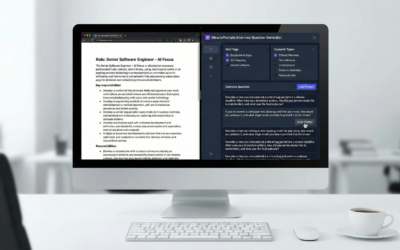
The Ultimate AI Interview Question Generator: How to Spot Top Talent in Minutes
🔮 PRO TIP: THE INSIDER'S PLAYBOOK. Want to jump straight to the expert hacks? Scroll to the very bottom of this post...

Free AI Mock Interview Simulator: The Virtual Coach Wizard
🔮 PRO TIP: THE INSIDER'S PLAYBOOK. Want to jump straight to the expert hacks? Scroll to the very bottom of this post...

The Perfect Job Post Architect: Write Inclusive JDs in Seconds
🔮 PRO TIP: THE INSIDER'S PLAYBOOK. Want to jump straight to the expert hacks? Scroll to the very bottom of this post...